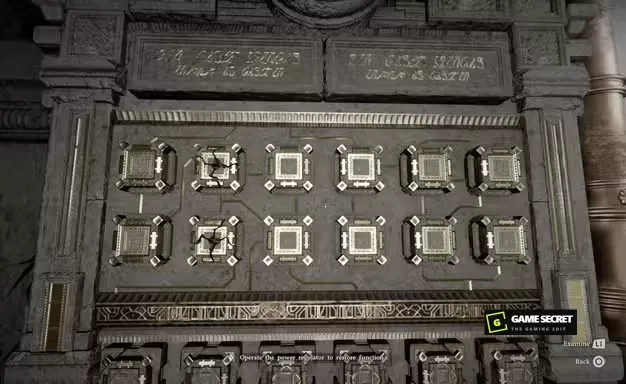
During Oongka's Unfamiliar Workshop quest, you'll need to inspect and activate a broken device. The objective "Operate the Power Regulator to Restore Function" may leave you wondering what exactly you need to do. Fortunately, solving this puzzle is straightforward once you know the correct button sequence.
How to Fix the Broken Device in Crimson Desert
Hold L1 to look at the Power Regulator, then press Square to select "Operate".
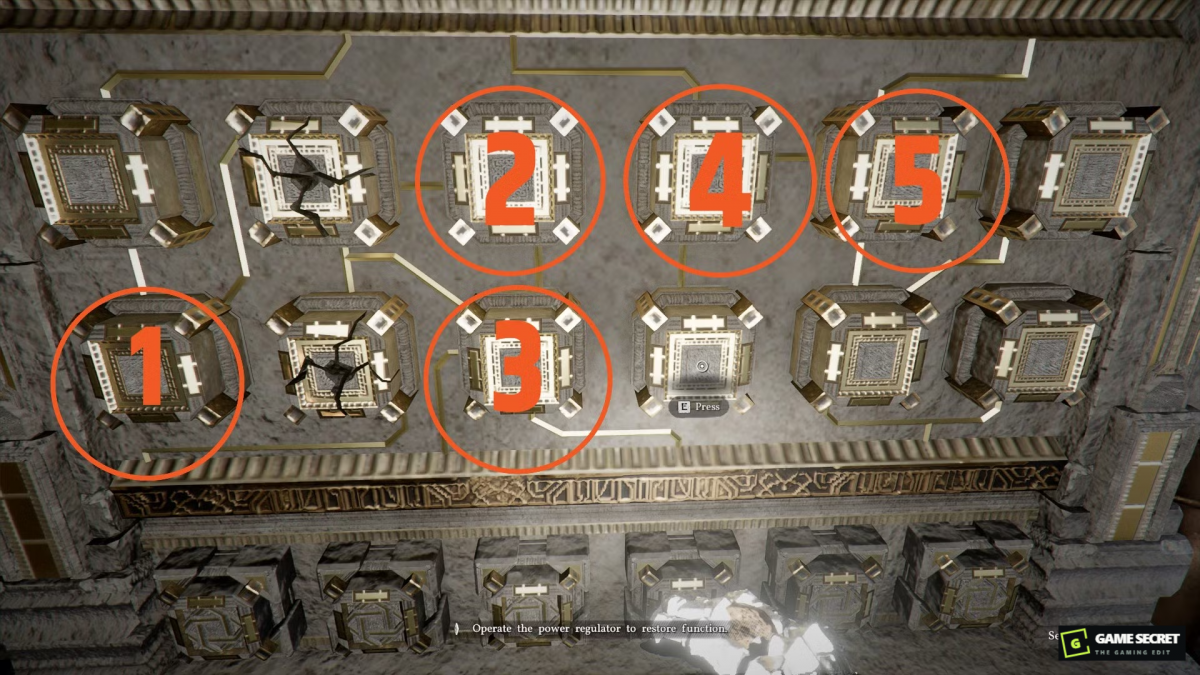
You'll now be facing a panel with several buttons. To restore the device, press them in the exact order listed below:
-
1st Button: Row 2, Column 1.
-
2nd Button: Row 1, Column 3.
-
3rd Button: Row 2, Column 3.
-
4th Button: Row 1, Column 4.
-
5th Button: Row 1, Column 5.
Once you've pressed all five buttons in the correct sequence, the Power Regulator will be repaired, and a cutscene will immediately begin. This completes the puzzle and allows you to continue with the rest of Oongka's quest.
Comments