
As someone old enough to remember when games used password systems to save progress, I have mixed feelings about autosaving. On the one hand, it can prevent you from losing progress after an unexpected shutdown. On the other, knowing there's an automatic backup can make you less careful, and it doesn't always work when you expect it to.
Unsurprisingly, GTA 6 has an autosave feature, which should be good news for most players. However, it doesn't always trigger at the moments you might expect, and it comes with one significant limitation. Understanding how autosaving works is important if you plan to rely on it instead of using the manual save system. Personally, I recommend combining both methods.
How Does GTA 6 Autosave Work?



GTA 6 automatically saves your progress after completing main story missions and certain side quests. Autosaving can also be triggered when you make major purchases at a store or business.
After testing the feature, I've found that autosaving can sometimes occur after sleeping. However, I suspect this may depend on whether you receive a mission-related phone call or message after waking up, rather than simply how long you choose to sleep.
The easiest way to check when your last autosave occurred is to open the Load menu and look at the timestamp next to the autosave slot.
GTA 6 Autosave Has One Major Limitation
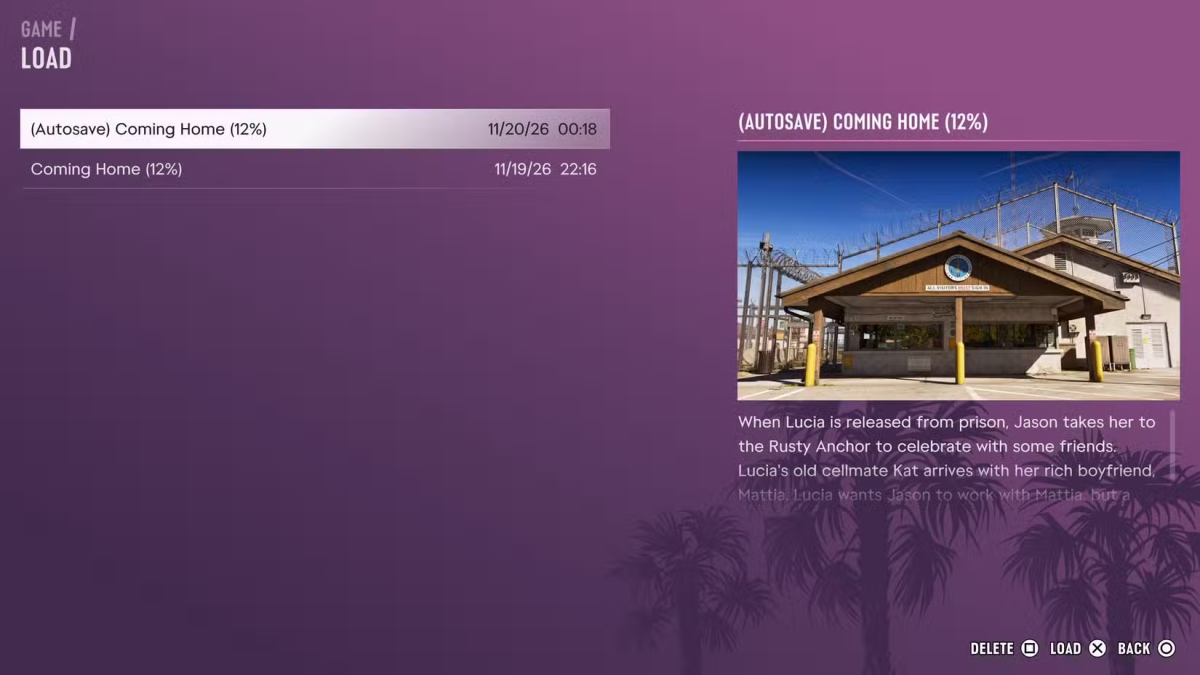
Although autosaving in GTA 6 can be incredibly useful, it has one major limitation: the game only provides a single autosave slot. This means that if an autosave occurs after an expensive mistake, such as making the wrong decision during a mission or spending too much money at a strip club, you won't be able to undo it by loading an earlier autosave.
The opposite situation can also cause problems. If you load an old manual save to replay a particular mission, completing that mission will overwrite your autosave slot. This could result in losing progress made since that manual save was created.
For this reason, I recommend saving manually before and after every main story mission, or at least once every hour. Autosaving is convenient, but keeping your own manual saves is a much safer way to protect your progress.



Comments