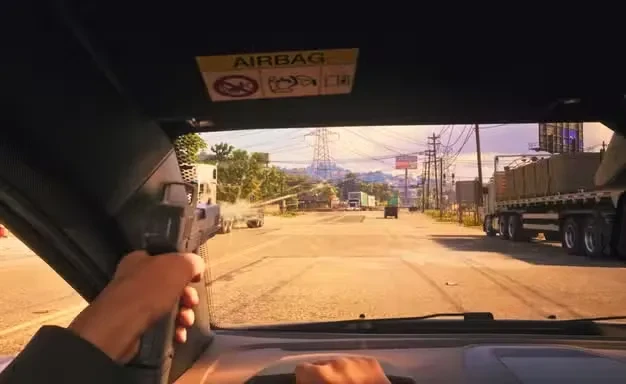
Rockstar Games released GTA 6 without a dedicated first-person mode, limiting players to a third-person camera except when using their smartphone or aiming certain weapons. However, the community quickly discovered a clever camera glitch that bypasses this restriction. Here's how to activate the first-person mode glitch in GTA 6 on PS5 and Xbox Series X|S, and how to switch back to third-person when you're finished.
Before attempting this glitch, create a separate manual save. Once the camera locks into first-person mode, you'll need to reload a save to restore the normal view.
Step 1: Change Your Controller Settings
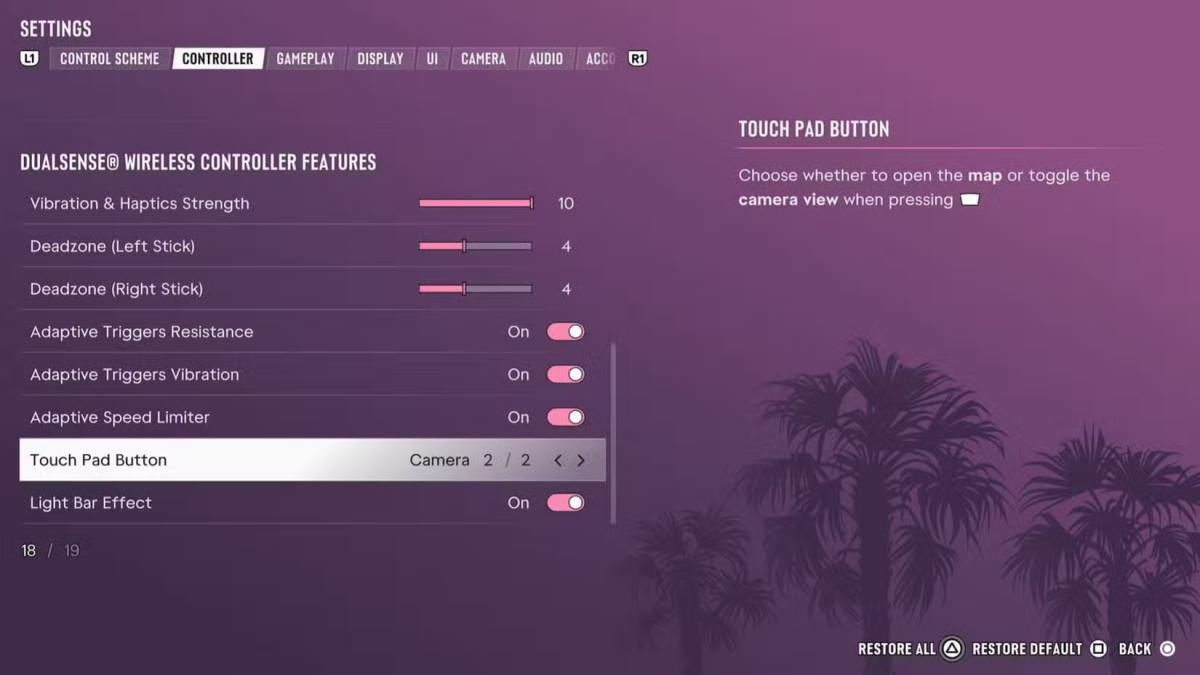
When you're ready to try the glitch, follow these steps:
-
Pause the game and open the Settings menu.
-
Go to the Controller tab and change the following setting:
-
PS5: Set Touch Pad Button to Camera (2/2).
-
Xbox: Set View Button to Camera (2/2).
-
Step 2: How to Activate the First-Person Mode Glitch in GTA 6
Once you've changed the controls, get into any vehicle and repeat a specific sequence of inputs until the camera switches to first-person mode. You can use either a car or a motorcycle.
-
Pull out your smartphone by pressing Up on the D-pad.
-
Press Circle on PS5 or B on Xbox to put the phone away, then immediately start repeatedly pressing the Touch Pad or View button.
-
If the camera switches back to third-person, repeat the first two steps a few more times. You need to get the timing right for the camera to stay locked in first-person.
You can now play GTA 6 in first-person mode. Although you may encounter a few visual glitches, most activities remain available, including driving, shooting, and talking to NPCs during missions.
However, it's best to avoid using this glitch during important story sequences. Forcing the camera into first-person can cause some cutscenes and key story moments to display incorrectly.
Step 3: How to Turn Off First-Person Mode in GTA 6
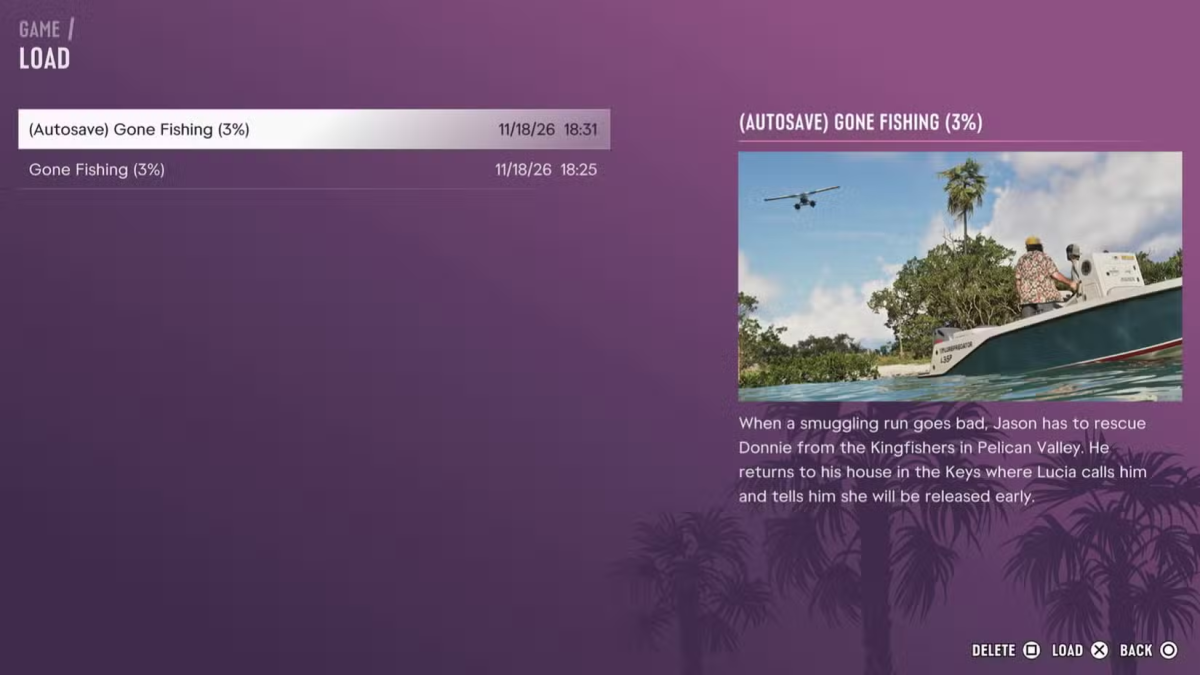
If you created a separate save before activating the glitch, restoring the normal third-person camera is straightforward. Open the Load Game menu and load the save file you created before attempting the glitch.
Since this is an unintended exploit, expect a few visual issues. For example, character models and long guns may clip into the camera during certain animations.
It's also worth trying this glitch sooner rather than later, as Rockstar may patch it out in a future update.
Comments