
Wondering how to switch between characters in GTA 6? The game features two playable protagonists, Jason and Lucia, but you won't be able to control both of them from the very beginning.
In this guide, we'll explain when you unlock both characters, how to switch between them, and what restrictions can prevent you from changing protagonists.
Like in GTA 5, character switching becomes available as you progress through the story. However, GTA 6 handles this mechanic a little differently, with certain missions and story events temporarily limiting your choices.
How to Change Characters in GTA 6
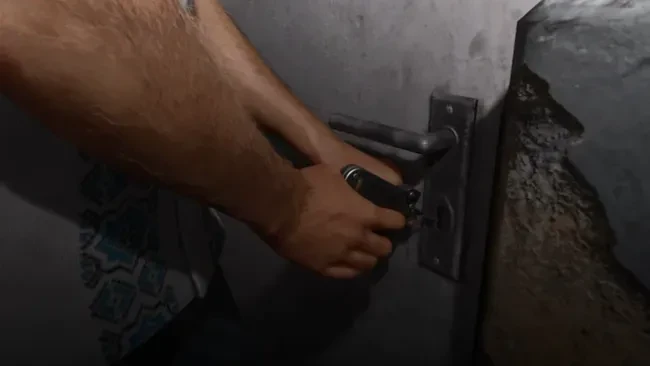
GTA 6 initially puts you in control of Lucia. However, at the beginning of the game, she's in jail, meaning you won't be able to explore the open world with her right away.
After completing the Gone Fishing mission with Jason, you'll gain access to the open world. You can explore the surroundings and choose which activities to pursue, but character switching won't be available yet.
Your first opportunity to play as Lucia alongside Jason comes during the Day Release mission. However, once the mission ends, you'll return to controlling Jason because Lucia is on parole.
Later in Chapter 1, you'll also play as Lucia during missions such as Tourist Trap. However, these missions are part of a sequence leading to the end of the chapter, so you still won't be able to freely switch between protagonists in the open world.
The ability to control both characters outside missions becomes available after completing Chapter 1. Continue progressing through Chapter 2, and you'll eventually unlock the option to switch between Jason and Lucia.
Once both protagonists are available, press Right on the D-pad to open the character-switching menu and select the character you want to play as.
Character Switching Restrictions in GTA 6
Although you can freely switch between Jason and Lucia in the open world, there are situations when the game temporarily prevents you from doing so.
If one of the characters appears greyed out in the switching menu, it means they're currently unavailable. This usually happens for an in-game reason, such as the character participating in another mission or being occupied with a separate activity.
There's also another situation worth knowing about: after switching protagonists, the character you just left may call a RydeMe and leave the area. Occasionally, this causes the character-switching menu to become temporarily unavailable.
In these situations, you'll simply have to wait until the other protagonist becomes available again before switching characters.
Comments