
Making money in ROB RUN is only half the battle. Once you start earning cash from robberies and selling stolen goods, you also need to protect your profits. That's where money laundering comes in. It allows you to convert dirty cash into clean money that can be stored in your bank account instead of carrying it around and risking losing everything.
However, you can't use this system right away. First, you'll need to open a bank account, secure a property, and get access to a Laundering Desk in ROB RUN.
Setting Up a Bank Account in ROB RUN
Before you can launder money, you need to open a bank account. Head to Looty Bay Bank and speak to an employee to get started. Make sure you're playing as a civilian and aren't wearing a mask when you visit the bank.
Opening an account requires a $5,000 cash deposit. Once you've paid this amount, your account will be ready to use. You'll then be able to deposit clean money, withdraw funds, and access the main money laundering system.
Earning your first $5,000 can be a little challenging if you're just starting out. We recommend robbing a shop near an exit or checking the garbage dumpsters placed along the roads. Dumpsters usually don't provide much money at first, but they're one of the safest ways to earn some quick cash in the game.
Having a bank account also unlocks access to other activities that require clean money, such as creating a clan, placing bets, and controlling businesses.
Try to open your bank account before spending too much money on equipment. The sooner you unlock it, the sooner you can start protecting your earnings.
How to Rent a Property in ROB RUN
Opening a bank account alone isn't enough to start laundering money. You'll also need a property where you can use your own Laundering Desk.
First, open your research tree and unlock the Land Plot Title. Once you've unlocked the required title, head to the Motel and purchase a construction Land Plot Title from Lenny for $100,000. After obtaining it, leave Looty Bay and look for an available property outside the city.
Once you find a suitable location, rent the plot and establish your base. This will give you a place to use different facilities and store your equipment. When your property is ready, head to the Laundering Desk in your base. Interact with it and add the dirty cash you want to process.
The desk gradually converts your dirty money into clean money, which is then transferred to your bank account. The best part is that the process continues even when you're offline. You don't need to remain connected to the server and wait for every transaction to finish.
How to Use the Laundering Desk
Once you've established your property, using the Laundering Desk is fairly straightforward. Interact with the station, place your dirty cash inside, start the laundering process, and let it handle the rest.
The system gradually converts your earnings into clean money. Once processing is complete, the funds are sent directly to your personal bank account instead of remaining in your inventory.
This is especially useful after successful robberies, when you might be carrying a large amount of cash. Rather than risking those earnings during your next mission, you can deposit them into the Laundering Desk and have them safely transferred to your bank account.
How to Upgrade Your Laundering Desk
If you plan to earn money regularly in ROB RUN, upgrading your Laundering Desk is worth considering. A basic setup might be enough when you're starting out, but your income will eventually grow beyond what a standard station can comfortably handle.
Banknote Counters are among the upgrades available for improving your laundering setup. Better modifications allow you to process more money, making it easier to keep up with the cash you earn from robberies and selling loot.
Unlike most items in the game, you can't purchase the Banknote Counter directly from Lenny. Instead, you'll need to interact with the Suspicious Door at the Motel to buy the Banknote Counters Upgrade for your Laundering Desk.
Your settlement also affects your laundering capacity. A higher settlement level can increase the amount of money you can process. However, if you're living in another player's settlement, the owner receives a percentage of the money from every laundering operation you complete.
Make sure to check your setup regularly, too. A damaged cable can reduce your profits, so maintaining your equipment is just as important as upgrading it.
Why Should You Launder Money in ROB RUN?
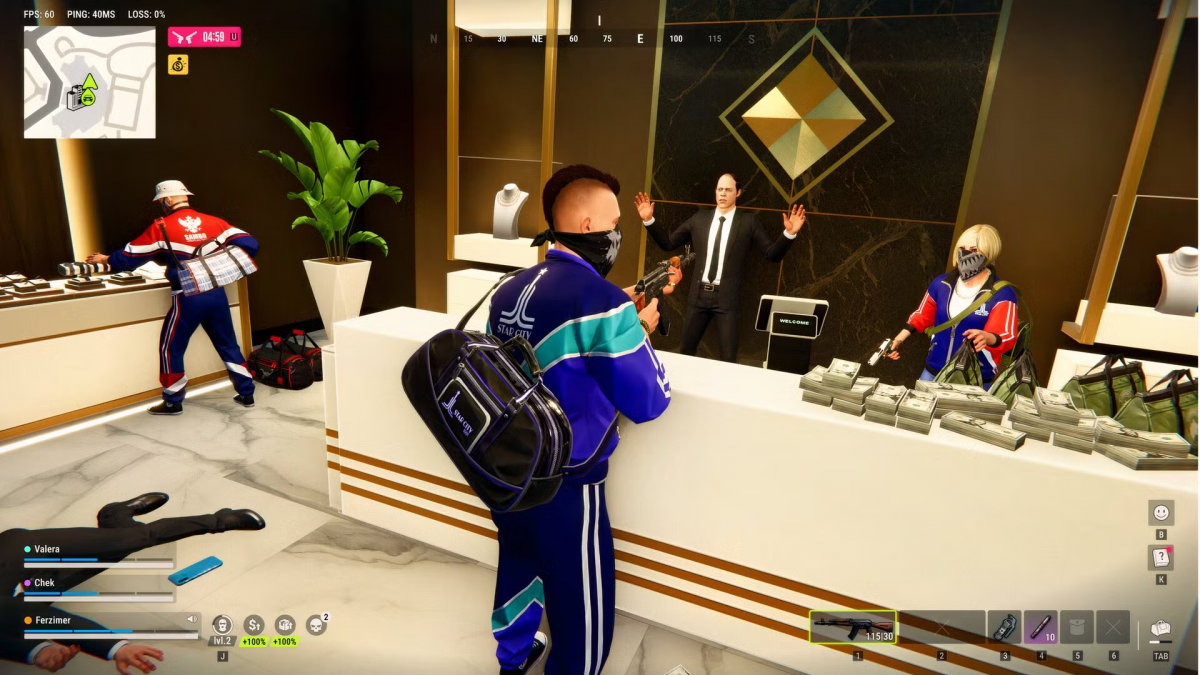
The main reason to launder money is to protect your earnings. Dirty cash carried by your character can be lost when you die or stolen by other players. Walking around with large amounts of money is risky, especially when you're participating in dangerous activities.
Clean money transferred to your bank account is much safer because other players can't take it from there. It's best to keep most of your earnings in the bank and withdraw only what you need for immediate purchases or activities.
If you can't afford to rent a property yet, your safest alternative is to store your money in Lenny's cash stash. This is a good option for beginners because other players can't steal money kept there. The Motel is also considered a safe zone, meaning players can't shoot each other inside.
FAQs
How much does it cost to open a bank account in ROB RUN?
You need $5,000 in cash to open a bank account at Looty Bay Bank. Visit the bank as a civilian without wearing a mask and speak to an employee to complete the process.
Can I launder money without owning a house?
There isn't another way to launder money in the game. You'll need to use the property-based method described above whenever you want to clean the money earned from robberies.
Does the Laundering Desk work while I'm offline?
Yes. Once you deposit dirty cash into your Laundering Desk, it continues processing your money even when you're not playing.

Comments