
Knowing how to save your progress in Grand Theft Auto 6 is essential before exploring the massive state of Leonida. The game features a reliable autosave system that triggers after completing missions and certain open-world events. However, relying entirely on automatic saves can be risky, as you might lose a rare vehicle or get stuck with a narrative choice you regret. Here's how to manually save your game in GTA 6.
How to Save in GTA 6
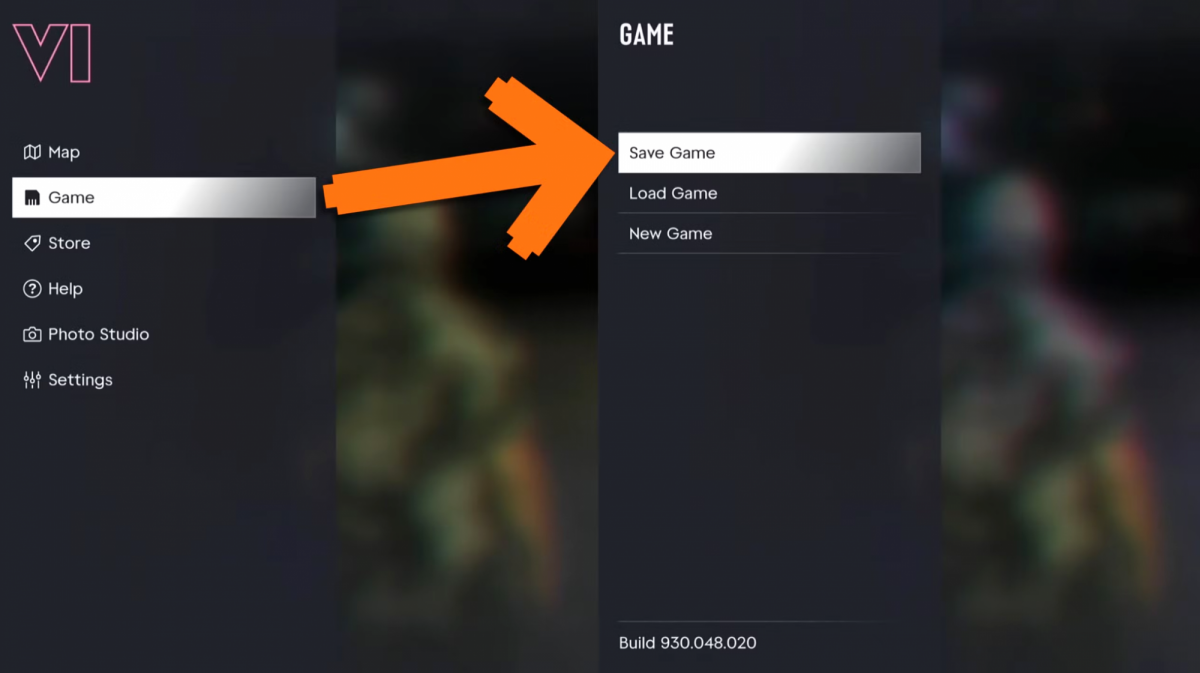
Players cannot manually save their progress during the GTA 6 prologue, so you'll have to rely on autosaves until you complete the opening sequence and arrive at Jason's house by the marina. This usually happens after completing the first job for Brian.
Once you're there, press the Start button, open the Game menu, and select Save Game.
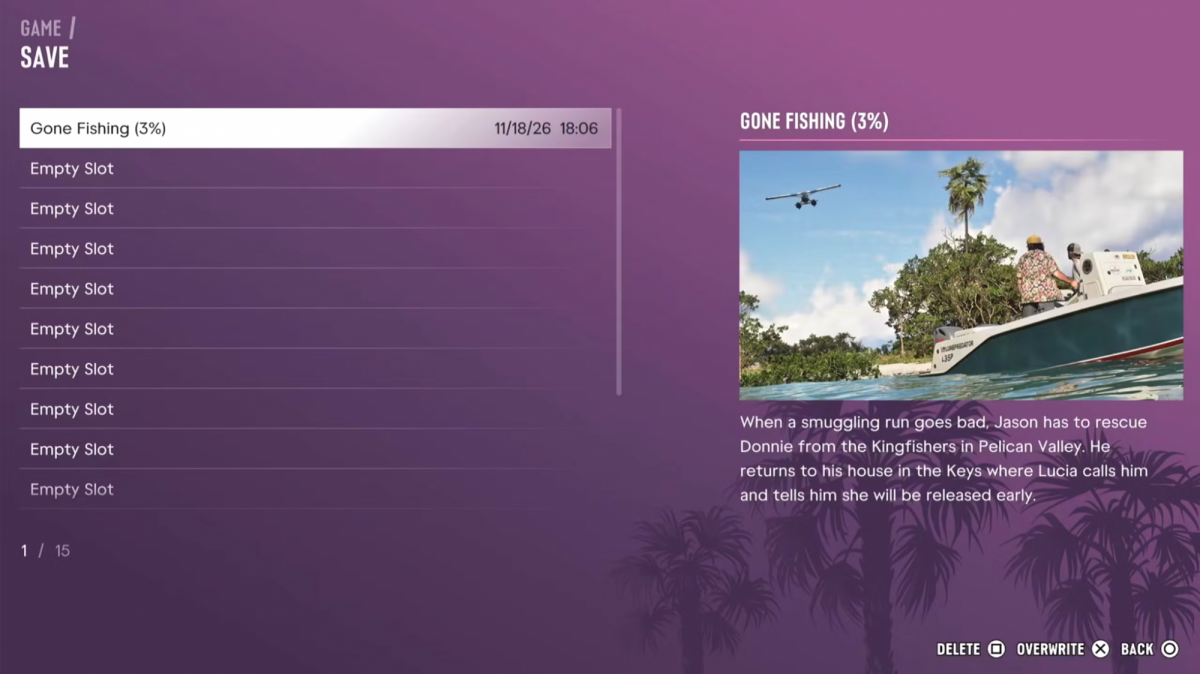
GTA 6 has 15 manual save slots, and you can create a new save in any empty slot. Whenever you want to save your progress later, you can overwrite an existing file or use one of the remaining slots to keep multiple save files.
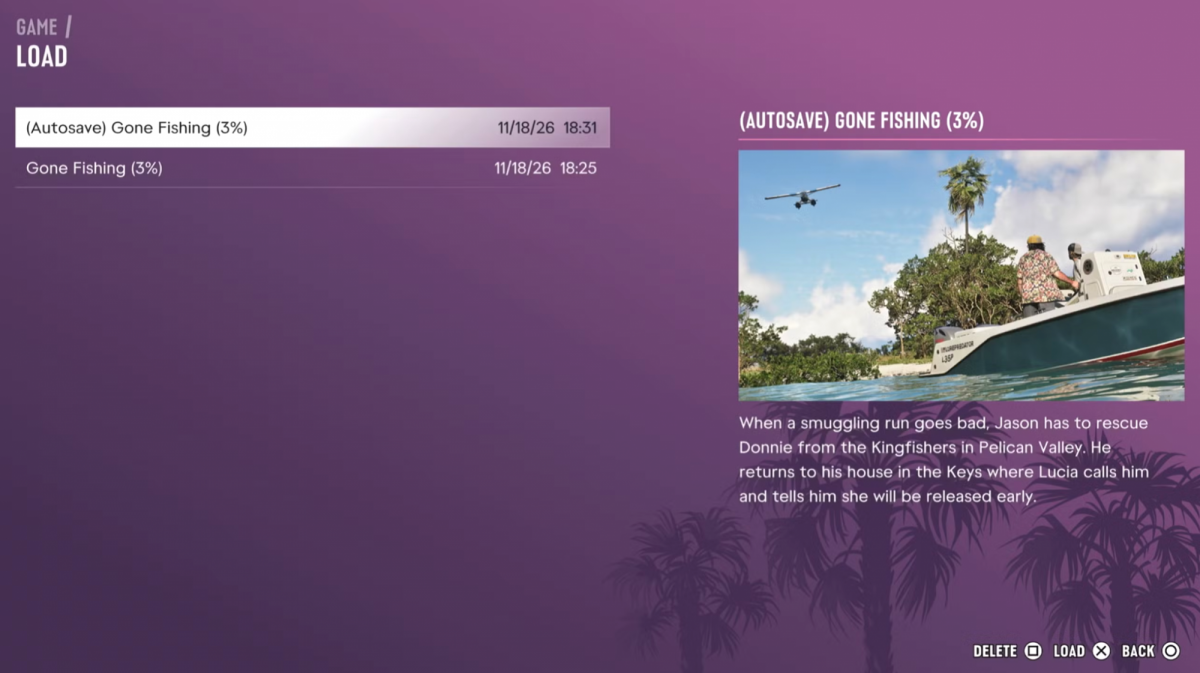
To load a save in GTA 6, open the same Game menu and select Load Game. You'll see a list of available files, including your autosave and manual saves. Choose the file you want and select Load to resume from that point.


Comments